The Galaxy Map
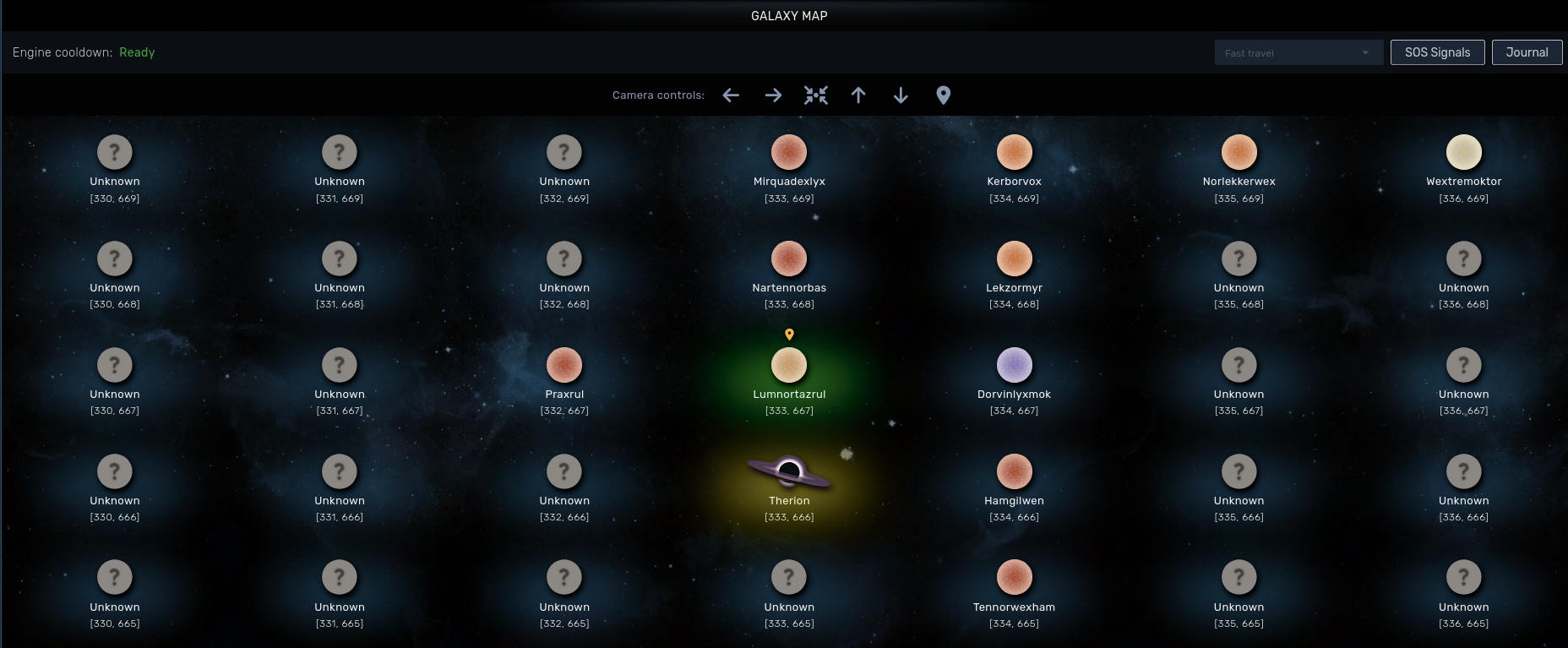
The galaxy is a grid of coordinates: 2000 x 2000 on the web realm, and 7000 x 7000 on Steam. The third coordinate (Z) is the galaxy itself, because there are more galaxies to explore, but you start your journey in the first one.
Each coordinate is separated by 10 light years on the x and y axis.
Systems glow in different colours so you can identify them at a glance:
- Gold: starter systems
- Orange: systems with a dungeon
- Light blue: systems where your squadron has a space station
- Red: systems claimed by another squadron
A system only shows one glow. If more than one applies, the one higher on this list wins.
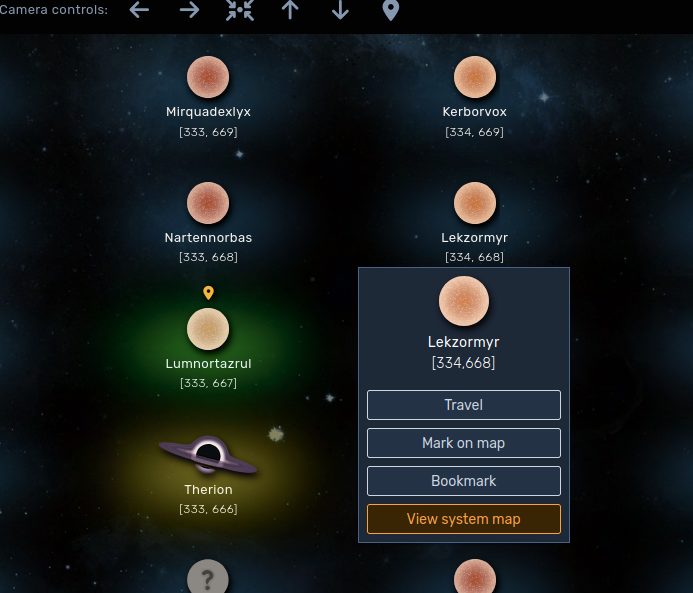
When you mouse over a system you can see some system data. If you click on it, a menu will appear with some options:
- Travel to the system, if you have the fuel needed to jump
- Highlight the system. A little compass will appear below your current system pointing the direction and the distance
- Bookmark interesting systems and manage them from the Atlas
- View the system map
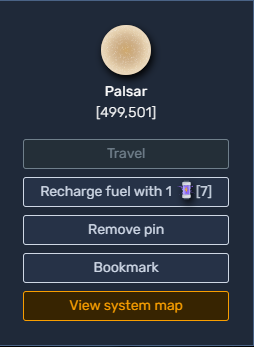
If you ever run out of fuel, or have less than 10, which is the minimum fuel required to travel to a neighbour system, you can recharge your fuel tanks using a warp capsule.
The System map
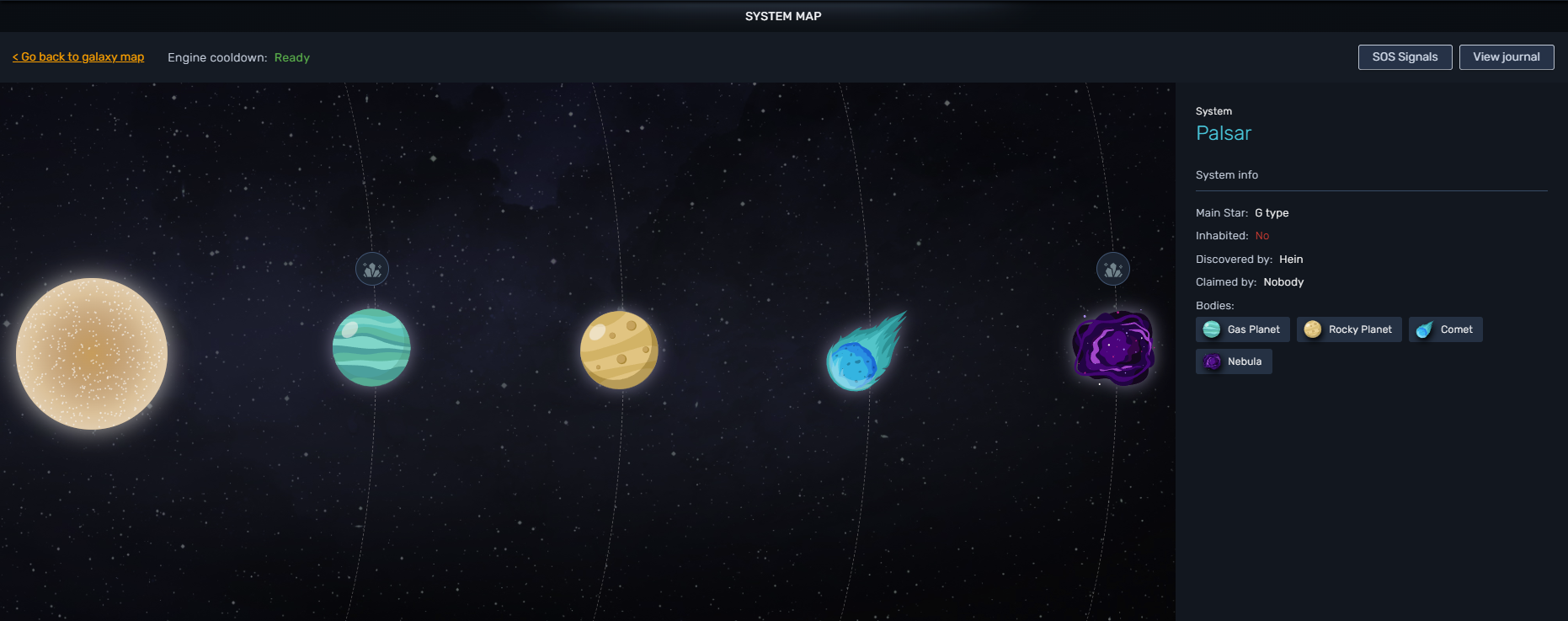
Here you can see the system in detail with its own bodies. If the body has a gathering node it will be marked with a resource icon on the top. You can click on each body and check its details.
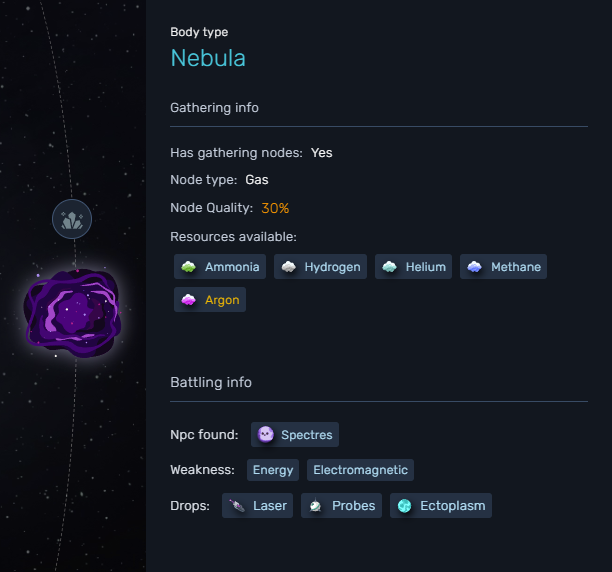
The Exploration bar
On the top of the galaxy or system map you have a display bar. There you can see your current engine cooldown and camera controls to move across the galaxy. You can also use the arrow keys on your keyboard.
There is a dropdown menu for fast traveling between starter systems, only available when you are currently sitting in a starter system.
You can also check for active SOS Signals. Whenever a player gets stranded in space, they can call for help and send an SOS signal.
The Journal will show your progress through the galaxy with a system log.
SOS Signals
The SOS list shows every open signal, and from there you can donate fuel to stranded players without travelling. How signals and donations work is explained in SOS Signals.
The Journal
You can access the journal through the exploration bar.
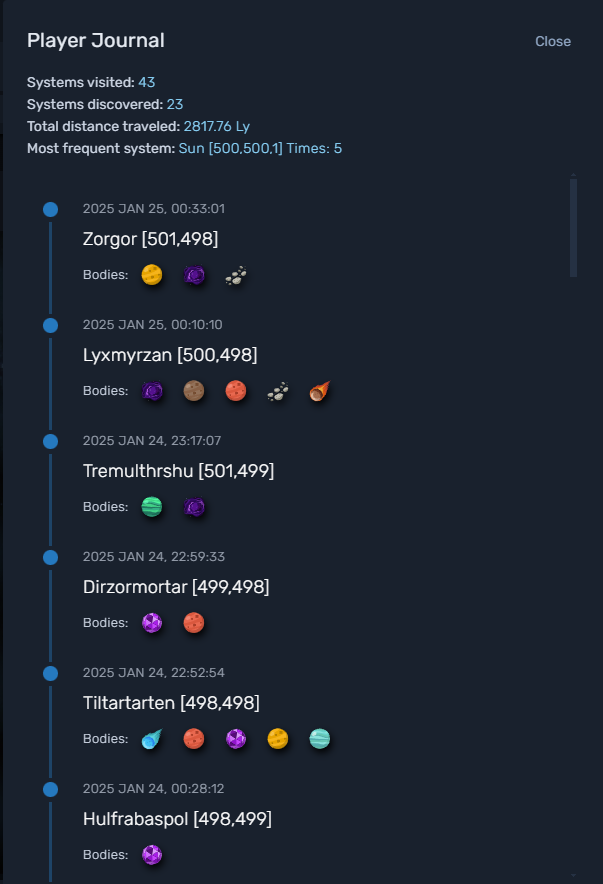
TL;DR:
- Starter systems glow yellow, claimed systems are purple.
- Highlight or bookmark systems to find them again.
- Keep an eye on the SOS list: donating fuel to a stranded player enters you in the draw for a mystery box.