Laboratory
Remember
Before proceeding here, make sure you understand how to Defeat some enemies and Gather resources and why they are important
What the Lab is for
The Lab includes a series of buildings that allow you to create greater materials. In order to unlock the different buildings you need to purchase them with credits.
The Lab is also the gateway to Base Building: founding your base costs 5,000 units each of Ingots, Refined crystals, High end crystals, Propulsors and Nanoconductors. That is the whole price, nothing extra is charged on top, but producing those 25,000 units runs down the entire chain, so getting there takes roughly 50m of each common resource.
Remember
The final building generates Warp Capsules, which allow you to exit starter systems and start Exploring the Universe. You can use your Warp capsules and refuel your ship to be able to travel to other systems.
You can also buy Warp Capsules at the Market.
Buildings
You need to buy them with credits before you can start using them.
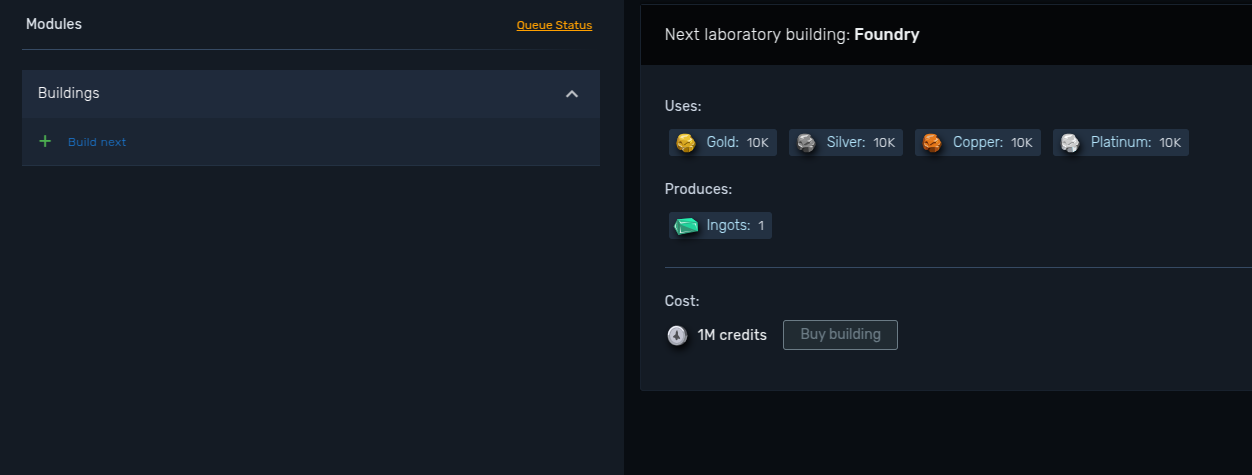
Once you buy them, they will appear on your left panel. They have a level which can be upgraded with credits. This reduces the timer and produces materials faster.
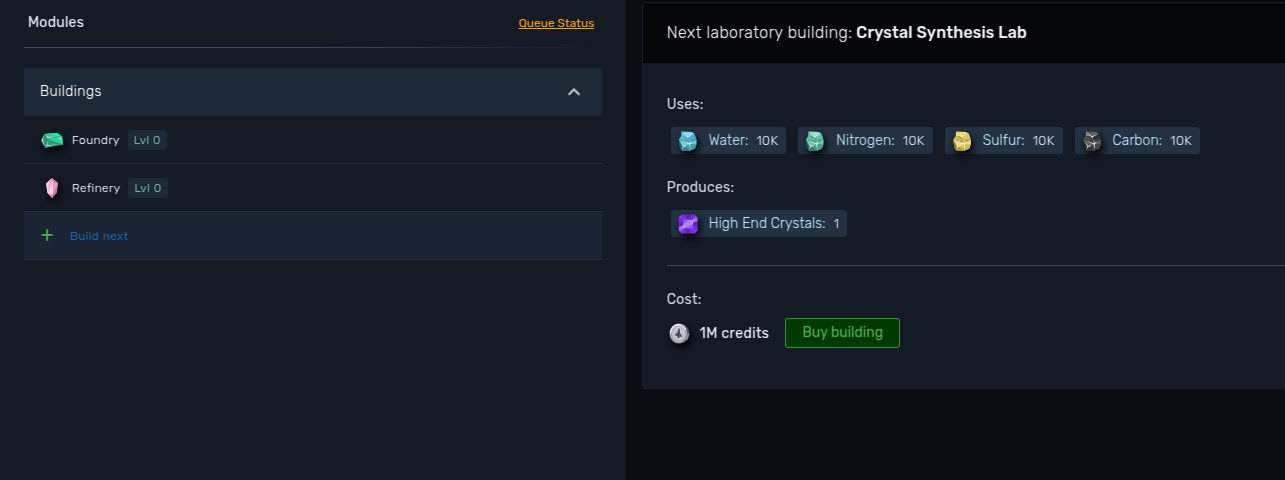
Once you build them you can start queueing your materials.
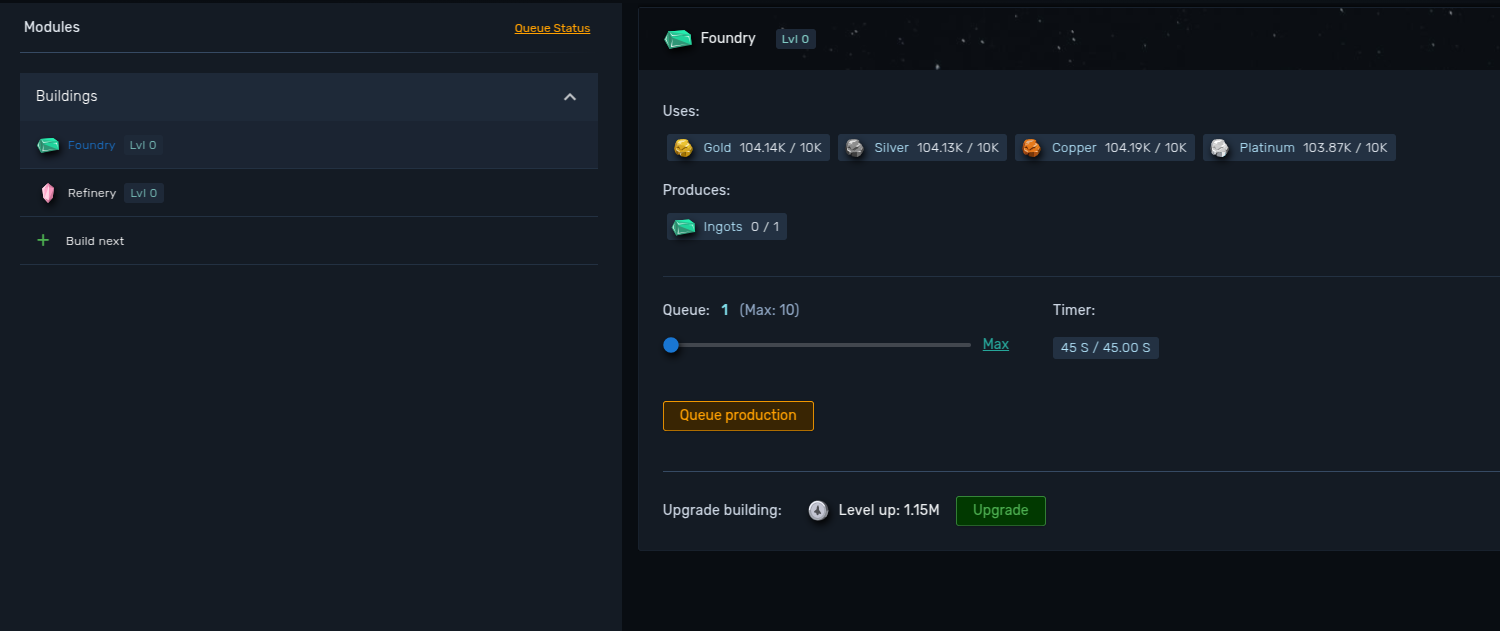
You can queue production on a building provided you have enough resources. You can also upgrade buildings to reduce the time needed for each process in the queue.
Queue slots
You can only run a limited number of building queues at the same time. The "Queue size" counter on the Laboratory panel shows how many you are using.
| Account | Queues |
|---|---|
| Standard | 4 |
| Premium | 6 |
You can raise that number with the extra queue slots sold as quality of life upgrades. Base and dungeon buildings share the same pool, so a queue running on the Aeroforge takes one of those slots too.
Adding more units to a building that is already producing does not need a free slot.
Speed multiplier
Every queue is started with a speed multiplier between 1 and 10. A higher multiplier produces the same materials faster, but the resource cost per unit grows steeply, so it is usually a late game tool.
At x10 a queue finishes ten times faster and each unit costs around 78 times its normal input, which still leaves the multiplier around 8 times more expensive for the same output per hour.
| Speed | Input per unit |
|---|---|
| x1 | 1x |
| x2 | 2.6x |
| x3 | 4.5x |
| x4 | 7x |
| x5 | 10.5x |
| x6 | 15.4x |
| x7 | 22.7x |
| x8 | 33.8x |
| x9 | 50.9x |
| x10 | 77.7x |
A building can only hold one multiplier at a time. To queue more of the same material you have to use the multiplier the current queue is already running on.
Upgrading buildings
Every level takes 0.1 seconds off the production timer, down to a floor of 5 seconds. Once a building reaches it, the upgrade button reads "Maxed" and there is nothing left to buy.
Levels are paid in credits and get more expensive as you go: the first one costs 1,150,000, the second one twice that, the third one three times, and so on. You can buy several levels in a single purchase, and the panel shows the total before you confirm.
Upgrading a building that is already producing applies to the units still in the queue, so the countdown drops right away.
Reset timer sends the building back to level 0 and refunds 80% of every credit you put into it. It is there for when you would rather move that investment somewhere else, at the cost of losing a fifth of it.
Warp Capsule buildings
Each building generates a distinct material:
| Building | Description | Consumes | Produces |
|---|---|---|---|
| Foundry | Produces basic metal alloys | - Gold - Silver - Copper - Platinum |
Ingots |
| Refinery | Refines gemstones into crystals | - Diamond - Ruby - Emerald - Sapphire |
Refined crystals |
| Crystal Synthesis Lab | Synthesizes special crystals for advanced technologies | - Water - Nitrogen - Sulfur - Carbon |
High end crystals |
| Noble Gas Processing Station | Refines gases into propulsors | - Helium - Methane |
Propulsors |
| Nanotech Complex | Creates advanced nano-materials | - Ammonia - Hydrogen |
Nanoconductors |
| Circuit Integration Facility | Assembles complex circuits | - Silicon - Cobalt |
Microcircuits |
| Energetic Fusion Center | Generates energy through fusion | - Argon - Dark matter |
Fusion Cells |
| Module Assembly Plant | Module assembling | - Ingots - Refined Crystals - Microcircuits |
Fuel cell casing |
| Fuel Lab | Produces raw fuel | - High end crystals - Propulsors - Nanoconductors - Fusion Cells |
Unstable Fuel |
| Space Capsule Complex | Constructs special fuel cells needed for interstellar travel | - Unstable Fuel - Fuel Cell Casing |
Warp Capsule |
Base and Dungeon buildings
With the addition of base building, there are five new laboratory buildings.
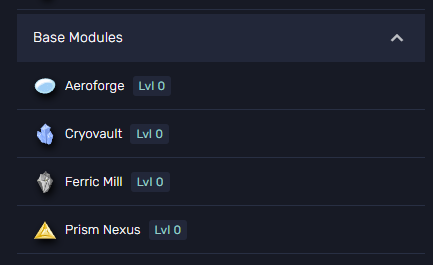
| Building | Description | Consumes | Produces | Used in |
|---|---|---|---|---|
| Aeroforge | Produces Aerolite | - Gold - Ruby - Sulfur - Hydrogen |
Aerolite | PvP helmet - Base modules - Dungeon battle setup |
| Cryovault | Produces Cryovita | - Silver - Emerald - Carbon - Helium |
Cryovita | PvP armor - Base modules - Dungeon gather setup |
| Ferric Mill | Produces Ferricrystal | - Copper - Sapphire - Water - Methane |
Ferricrystal | PvP fists - Base modules - Dungeon craft setup |
| Prism Nexus | Produces Luminaris | - Platinum - Diamond - Nitrogen - Ammonia |
Luminaris | PvP legs - Base modules - Dungeon explore setup |
| Rare Material Facility | Produces Argoflux | - Argon - Cobalt - Dark Matter - Silicon |
Argoflux | Dungeon gather setup - Dungeon power-ups |
You can check every building's status on the laboratory menu on the left.
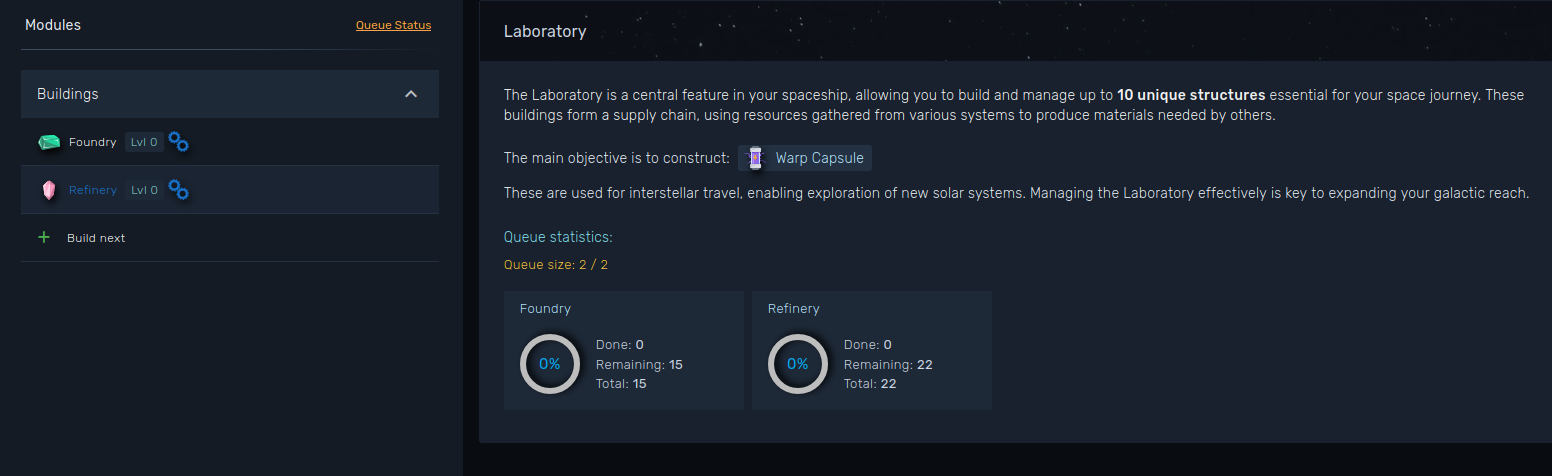
If your base has the Laboratory enhancer module active, every unit produced comes with extra output on top of what the building makes on its own. See Base Building.
Keeping track of your production
A cog animation will display on each building that has a working queue, and there will also be a small brief about every queue.
Claiming
Production does not wait for the queue to end. Each queue shows how much is ready to collect, and the Claim button banks it while the building keeps working on what is left.
- There is a 10 minute cooldown per queue, counted from your last claim on that building. The queue tells you how long is left before you can collect again.
- Claim All, next to the queue size counter, collects every queue that is off cooldown in one click.
- Claiming never costs you production: what has not been produced yet stays queued and the countdown is recalculated from the moment you claim. Only the fraction of the unit currently in progress is dropped, which is why claiming right after a unit completes is slightly better than claiming at random.
- Everything you claim counts towards your lab production statistic and the laboratory daily quest. A queue that runs all the way to the end collects itself, and an automatic collection does not count towards the quest. To make it count, queue enough units for the building to still be producing once the 10 minute cooldown is over, then press Claim while it is still working.
Adding and cancelling
- You can add more units to a running queue at any time, as long as you use the same speed multiplier the queue is already using.
- Cancelling a queue is a premium feature. It refunds the resources and materials of the units you have not claimed yet, so whatever you already collected is not refunded.
TL;DR:
- Buy all the buildings if you are working towards Base Building.
- Upgrade them to reduce production times, and remember you can reset the investment back for 80% of it.
- Claim often. Materials pile up while the queue runs and Claim All takes one click.
- Remember it is a chain: you need the basic materials to produce the advanced ones.
- If you only need a few Warp Capsules to get going, buying them at the Market is faster than building the whole chain.