Voyager Expeditions
Automated exploring
With the Voyager, you can set up expeditions to explore unknown systems. The Voyager has its own stats which you can upgrade, like max jumps per expedition, max fuel and reward bonuses.
How it works
From the Galaxy map, you can select unknown systems to queue up waypoints for the Voyager to travel to in order.
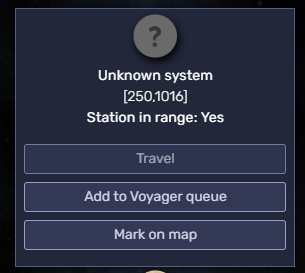
Once you queue up your waypoints, you can select the expedition planning from the Voyager button on the top-right corner of the screen.

Remember
For the first expedition you queue up, the starting location will be your current system.
In the Voyager section you can see the expedition planning and the briefing.
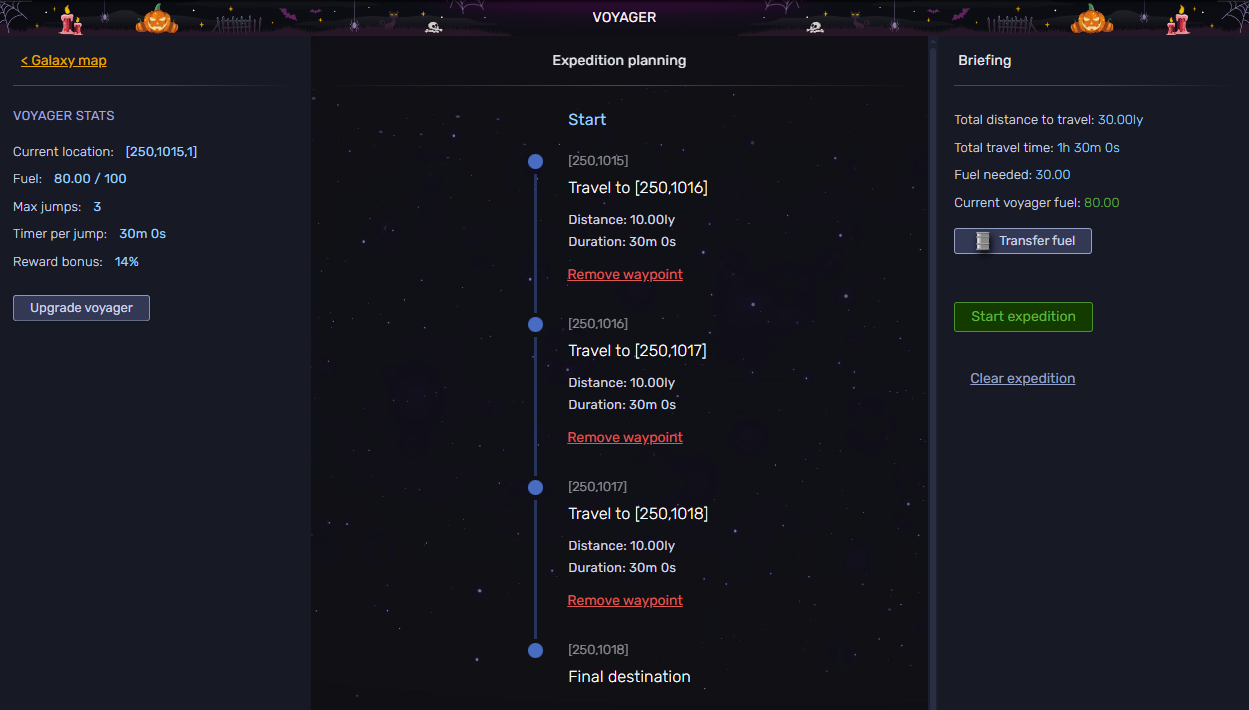
You need to transfer fuel to the Voyager from your ship before every expedition. The Fuel facility base module can generate fuel for your ship and your voyager too.
On the right panel you have the expedition briefing with the information about distance, duration and fuel needed.
Remember
The Fuel efficiency Catalyst also reduces the fuel cost of Voyager expeditions, capped at 60%. The fuel needed shown in the briefing already accounts for it.
Once everything is set up, you can start the expedition. You can also cancel the expedition with the clear button.
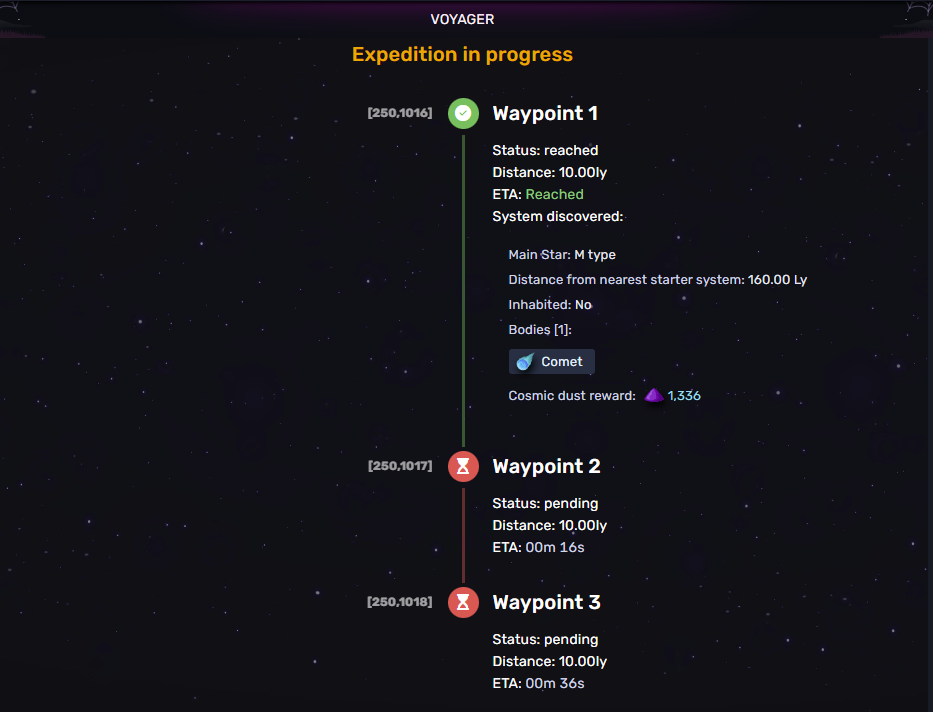
While the expedition is in progress you can check the progression, the systems discovered already and the ETA to finish it.
When the expedition is over, you will have a full detail about the exploration, with the option to publish the systems for public knowledge and get a credit reward for it, or keep them private. Systems discovered will remain private until you decide to publish them.
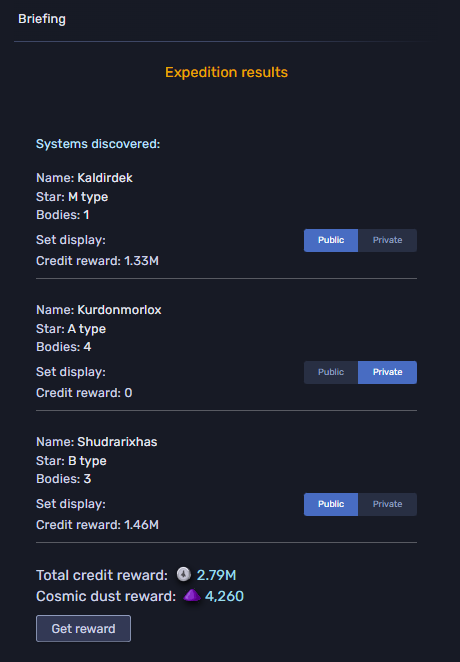
What the Voyager brings back
Every system the Voyager discovers rolls for the same finds you would get exploring on your own, and the odds on catalysts are better than jumping yourself:
| Find | Chance per system discovered |
|---|---|
| A Catalyst | 8%, raised by the Catalyst drop chance catalyst stat |
| A Solo Dungeon entrance | 5%, and it doubles the cosmic dust from that system |
| A Rune | 2%, and only if the system's star is a rare type |
Publishing the expedition results to the Atlas also has a 25% chance of a reward chest, against 10% when you publish a system you discovered by hand.
Upgrading the Voyager
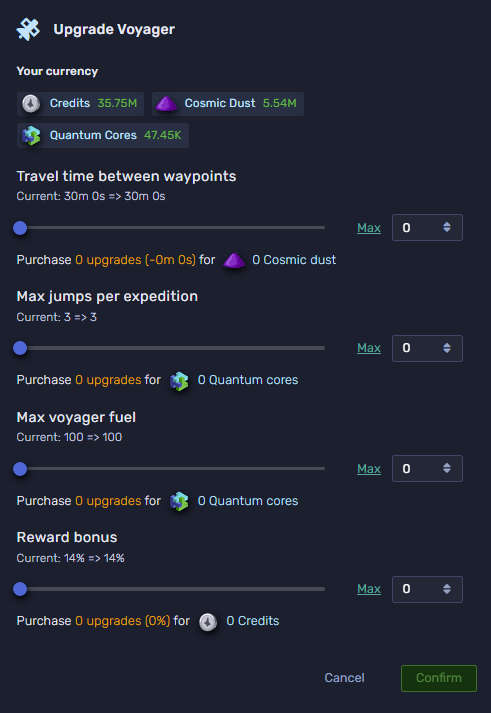
You can upgrade the Voyager to deploy larger and faster expeditions. Possible upgrades are:
- Time travel: default travel time between waypoints is 30 minutes. You can lower it down to a minimum of 10 minutes.
- Max jumps: default max jumps the voyager can make per expedition is 3. You can upgrade this up to 20 jumps.
- Max fuel: the Voyager default tank can carry up to 100 fuel. You can upgrade its capacity without limits.
- Reward bonus: increases the cosmic dust and credit rewards from each discovery you make.
The cosmic dust gain formula is: (starValue + bodies + distance_from_starter) * (1 + voyagerReward / 100) * (1 + owl/100 + baseBodyType/100 + stationBonus/100 + exploringPvPTiles / 100) * voyagerTechBonus * Premium
TL;DR:
- Upgrade max jumps and fuel to run longer expeditions.
- Transfer fuel to the Voyager before every expedition.
- Publish the systems you discover if you want the credit reward and the 25% reward chest.
- Long expeditions are the best catalyst farm in the game: 8% per system discovered.